

Right now, someone in your city is searching Google for the exact service you offer. They type in a few words, hit enter, and within seconds they are looking at your competitor’s website. They read a little, they feel confident, and they book. You never even knew they existed.
That is not a hypothetical. That is happening today. Tomorrow. Every single day that your business has no website. Let’s build a website in 7 days.
81% of shoppers research a business online before making any purchase decision, according to GE Capital Retail Bank. If you are not online, you are invisible to 8 out of 10 potential customers before the conversation even starts.
The good news? You do not need to wait six months or spend a fortune. You can build a website in 7 days. Yes, a real, professional, fully functional website, not a rushed, broken placeholder. We have done it dozens of times for clients across different industries, and we are going to walk you through the exact process right here.
Build a website in 7 days is not a marketing gimmick. It is a structured, proven workflow that removes all the confusion and delays that make most website projects drag on for months. By the end of this article, you will know exactly what happens each day, what questions people are asking about this process, and why it is absolutely possible for your business.
Ready to stop losing customers to competitors? We handle everything.
Get your website ready in 7 days.
Trending Questions People Are Asking About Building a Website Fast
Before we dive into the day-by-day breakdown, let us look at the real questions business owners like you are searching for online right now. These are not made-up questions. They come from Google’s autocomplete, Reddit threads, Quora answers, and keyword research tools like Semrush and Ahrefs. Let’s build a website in 7 days.
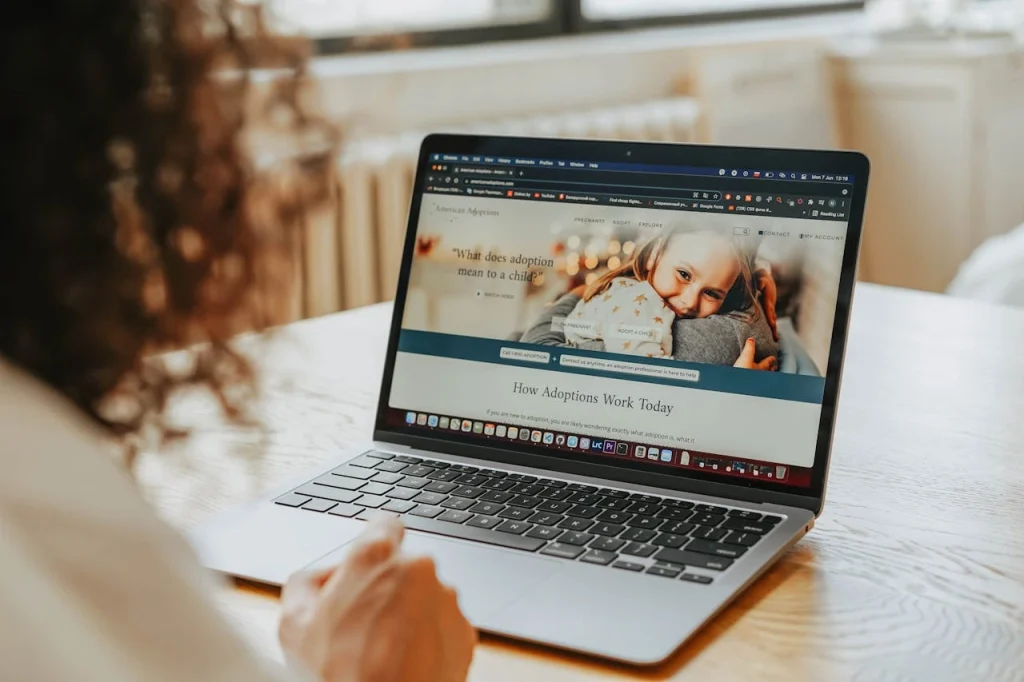
Q1. Is it really possible to build a website in 7 days?
Yes, absolutely. And it happens more often than you think. The reason most websites take weeks or months is not because the work is hard. It is because of back-and-forth emails, unclear briefs, missing content, and poor project management.
When you have a clear process, a dedicated team, and a client who is ready to provide inputs on time, you can build a website in 7 days without cutting any corners on quality. Let’s build a website in 7 days.
Think of it like building a house. If you have a ready blueprint, all the materials on site, and a crew that knows their job, a small house can go up in a week. The problem is usually that people show up without a blueprint and start arguing about where the kitchen should go.
According to WPBeginner, WordPress powers over 43% of all websites on the internet. One of the biggest reasons is that WordPress dramatically cuts development time without reducing quality. A skilled developer using WordPress and quality themes can launch a fully functional website far faster than building from scratch.
At Planasite, we build websites using WordPress because it lets us work efficiently, keep costs reasonable, and still deliver something that looks completely custom and professional. When everything is planned well, we can absolutely build a website in 7 days for most business types.
Q2. What information do I need to give before my website can start?

This is one of the biggest delays in any website project. Clients come in excited, then realize they have to gather a lot of things and suddenly two weeks pass. So let us be very direct about what you need ready before day one.
You need your business name, logo (if you have one), brand colors if they are defined, the services or products you offer, a short “about us” write-up, contact details including your phone number and email, and any existing photos of your work, your team, or your location.
You also need to decide on a domain name, which is the web address people will type to find you, for example yourname.com. If you do not have one yet, do not panic. Domain registration takes about ten minutes. Let’s build a website in 7 days.
Here is an analogy that helps: think of building your website like printing a menu for a restaurant. The designer can make it look stunning, but they still need you to tell them what dishes to include, what the prices are, and what your restaurant is actually called. Without that, even the best designer is stuck.
When you work with Planasite, we send you a clear onboarding checklist on day one. No guessing, no back-and-forth confusion. Everything you need to provide is listed simply so we can build a website in 7 days without delays caused by missing inputs.
Q3. How much does it cost to build a website for a small business?
This is the question almost every business owner has but feels embarrassed to ask first. So let us talk about it openly.
According to a 2024 survey by Web.com, small business websites typically cost between $500 and $5,000 depending on complexity, features, and who builds them. Freelancers tend to be cheaper but slower. Large agencies are expensive and often slow too. Boutique agencies like Planasite sit in the sweet spot: fast, professional, and priced for real businesses.
The real cost question is not just what you pay, but what you lose by not having a website. If one new customer a month finds you online and spends $200, that is $2,400 a year. Two customers a month is $4,800. Over three years, that is more than $14,000 coming in from a single asset you built once.
A professionally built website is not an expense. It is an investment that works for you 24 hours a day, 7 days a week, even when you are asleep.
When we build a website in 7 days for our clients at Planasite, the pricing is transparent. No hidden charges, no surprise bills. You know what you are getting before we start.
Q4. What pages does a small business website actually need?
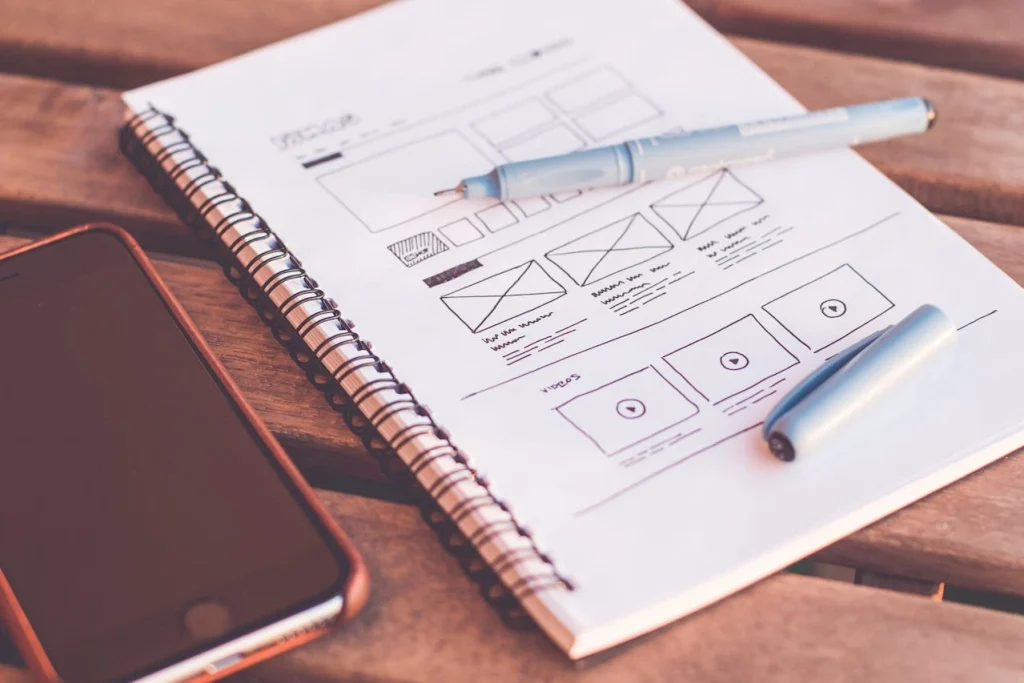
A lot of business owners think they need dozens of pages to look legitimate. They do not. A clean, well-structured small business website can do the job with five to seven pages.
Every business website needs a Home page that immediately tells visitors who you are and what problem you solve. It needs an About page that builds trust and shows there is a real human behind the business. A Services or Products page that clearly explains what you offer. A Contact page with a form, phone number, and ideally a map if you have a physical location. And if you have reviews or client results, a Testimonials or Portfolio page that does the selling for you. Let’s build a website in 7 days.
Optional but very useful pages include a Blog page for SEO content, an FAQ page to answer common questions, and a Gallery if your work is visual.
When we build a website in 7 days, we always start with the essential pages and make sure each one has a clear purpose. No filler pages, no wasted space. Every page should either inform, persuade, or convert a visitor into a lead.
Microsoft research found that humans have an attention span of about 8 seconds online. Your home page has less than 8 seconds to communicate what you do and why someone should care. Clean, focused pages win. Cluttered, overloaded pages lose visitors before they even read a word.
Q5. What platform should I use to build a website quickly?
This debate has been going on for years. WordPress vs Shopify vs Wix vs Squarespace vs Webflow. Every platform has fans. So let us be honest about which one is best for most small businesses who want to build a website in 7 days.
WordPress is the winner for most scenarios. Not because it is the flashiest or the newest, but because it is the most flexible, the most supported, and the most scalable. If you start with WordPress, you can grow with it. You are not locked into a proprietary system that limits your options later.
Here is a quick comparison:
- WordPress: Maximum flexibility, thousands of plugins, total control, requires a skilled developer to set up properly
- Wix: Easy drag-and-drop but limited in customization, not great for SEO at scale
- Squarespace: Beautiful templates but again, limited flexibility and plugin support
- Shopify: Best for e-commerce, not ideal for service businesses or content sites
At Planasite, we build exclusively on WordPress. It lets us build a website in 7 days that is fast, SEO-ready, mobile-friendly, and completely customized to your brand. And once it is live, you or your team can update content without needing us every time.
According to W3Techs, WordPress has a 43.5% market share of all websites in 2024, making it the most widely used CMS in the world. More users means more plugins, more support forums, more developers, and more long-term security for your business.
Q6. What does the 7-day website building process actually look like day by day?

This is the heart of the article. Let us go through exactly what happens when you decide to build a website in 7 days with a structured approach. This is the exact process we follow at Planasite.
Day 1: Discovery and Planning
This is the foundation. Everything else rests on this day. On day one, we have a discovery call with you to understand your business goals, your target audience, and the competitors in your space. We ask questions like: Who is your ideal customer? What action do you want website visitors to take? What do you love and hate about other websites you have seen?
We also lock in the sitemap, which is basically a list of all the pages your website will have, and we finalize the page hierarchy. We collect all your brand assets, content, and images. If you do not have professional photos, we discuss stock photo alternatives that will still look great. Let’s build a website in 7 days.
By the end of day one, we have a clear roadmap and all the inputs we need to move without stopping.
Day 2: Design and Layout
Design is where your website starts to feel real. On day two, we create wireframes or mockups for the key pages, starting with the home page. A wireframe is like a rough architectural sketch. It shows where each section will sit, what text goes where, and how a user will navigate. Let’s build a website in 7 days.
We also establish your visual style: fonts, colors, button styles, spacing. Everything is locked in on this day so that the rest of the build is consistent. We share the mockup with you for a quick review and approval.
Think of this like a tailor drawing your outfit on paper before picking up the scissors. It saves enormous time later.
Day 3 and 4: Core Development
This is the heaviest technical phase. We set up your WordPress environment, install the necessary plugins, and start building the actual pages based on the approved designs. The home page, about page, services page, and contact page go live in the development environment.
We integrate your contact forms, set up your navigation menu, and make sure your mobile layout looks as good as the desktop version. In 2024, over 60% of web traffic comes from mobile devices. A site that looks perfect on a laptop but breaks on a phone is a site that is losing you customers. Let’s build a website in 7 days.
We also install your SSL certificate during this phase, which is the security layer that makes your site show “https” and a padlock in the browser. Google actually penalizes sites without SSL by ranking them lower in search results.
Day 5: Content, Images, and Styling
With the structure built, day five is about making it beautiful and complete. We add all your written content, drop in images, and fine-tune every visual detail. Spacing, font sizes, button colors, hover effects. All the small touches that separate a generic website from one that feels premium. Let’s build a website in 7 days.
We also make sure your content is written in a way that speaks to your customers, not just about you. A lot of websites make the mistake of talking only about themselves. Great websites talk to the visitor and explain how you solve their problems.
Day 6: Testing and Speed Optimization
A website that looks great but loads slowly is a website that fails. Research from Google shows that 53% of mobile visitors abandon a site that takes longer than 3 seconds to load. On day six, we run full performance tests using tools like GTmetrix and Google PageSpeed Insights.
We compress images, configure caching, optimize the database, and check every link to make sure nothing is broken. We test the contact form to make sure emails actually arrive. We test on multiple devices and browsers: Chrome, Safari, Firefox, Android, and iOS. Let’s build a website in 7 days.
We also run a basic on-page SEO audit to make sure your page titles, meta descriptions, image alt text, and headings are all set up correctly. This is the foundation of being found on Google.
Day 7: Launch and Handover
This is the day your website goes live. We point your domain to your hosting server, do a final check across all pages, and flip the switch. Your website is now visible to the world.
We then give you a walkthrough of how to log into your WordPress dashboard, how to update content, add a blog post, or change a phone number. We hand over all your login credentials securely and make sure you feel confident managing your site going forward. Let’s build a website in 7 days.
This is the exact reason we built our process around the promise to build a website in 7 days. Not rushed. Not half-finished. Done properly, with a clear handover.
Q7. What happens if I do not have any content or photos ready?
This is probably the most common blocker. People want a website but feel stuck because they have not written anything yet, or they do not have professional photos.
The honest answer is: it does not have to stop you. It just needs a plan.
For written content, we can work with a simple brief from you. You tell us what you do, who you do it for, and what makes you different. From that, we can draft the copy for your pages. You review, we refine, and it gets done. Let’s build a website in 7 days.
For images, high-quality stock photo libraries like Unsplash, Pexels, and Adobe Stock have thousands of professional-grade images that are completely free or very affordable to license. A good designer knows how to pick images that feel authentic to your business, not generic and cold.
A mini case study: a home renovation client came to us with nothing. No logo, no photos, no written content. Just a phone number and a vague idea of what they wanted. Within two days of our discovery call, we had drafted all the content, sourced 30 images from a stock library that matched their style, and started building. The website launched on day seven. They got their first inquiry from the website within 48 hours of going live. Let’s build a website in 7 days.
The goal when you build a website in 7 days is to keep momentum. We guide you through every decision so nothing gets stuck.
Q8. How do I make sure my website actually shows up on Google?
Building the website is step one. Getting found on Google is step two. These are related but different things.
When we build a website in 7 days, we lay the foundation for SEO during the build itself. This includes clean URL structures, proper heading hierarchy, fast loading times, mobile responsiveness, SSL certificates, and meta tags for every page. These are the technical basics that Google requires before it even considers ranking you. Let’s build a website in 7 days.
According to BrightEdge research, organic search drives 53% of all website traffic, making it the biggest channel for discovery. A website without basic SEO is like having a beautiful shop in a location with no street signs pointing to it.
After launch, the next steps are to set up Google Search Console, which tells Google your site exists and lets you monitor how it is performing. We also set up Google Analytics so you can see how many people are visiting, where they are coming from, and what pages they are reading. Let’s build a website in 7 days.
Longer-term SEO involves publishing helpful blog content, building backlinks, and targeting local search terms if you serve a specific city or region. That is an ongoing process, but it starts with a well-built website on launch day.
Q9. Can a website built in 7 days actually look professional?
Yes, and we would challenge you to spot the difference. The idea that good design takes a long time is outdated. What takes a long time is indecision, miscommunication, and revision loops.
When both sides are clear on goals and the process is structured, quality comes quickly. The world’s fastest Formula 1 pit stop takes under 2 seconds. It is not rushed. It is rehearsed and systemized. Let’s build a website in 7 days.
Our process to build a website in 7 days is the same philosophy applied to web development. We have done it enough times to know exactly what needs to happen and when. The result is a clean, fast, mobile-friendly WordPress website that represents your business with confidence.
We have launched websites for personal trainers, consultants, restaurants, law firms, real estate agents, cleaning businesses, and tech startups. None of them looked like a rushed job. All of them were live within the week.
Q10. What should I do after my website is live?
Launching your website is the beginning of a journey, not the destination. Once your site is live, the next priority is getting people to visit it.
The first thing to do is share it everywhere. Update your social media profiles with the link. Add it to your email signature. Put it on your business cards, your invoices, your receipts. Announce it to your existing clients and ask them to visit and share. Let’s build a website in 7 days.
Then focus on Google Business Profile. If you have a physical location or serve customers in a specific area, a Google Business Profile is free and extremely powerful. It puts your business on Google Maps and in local search results. Make sure your website URL is linked to your profile.
Start collecting reviews. A website with five Google reviews is five times more trusted than one with zero. Ask happy customers to leave a review. It costs nothing and pays enormous dividends. Let’s build a website in 7 days.
And finally, plan for content. Even one blog post per month, answering a question your customers frequently ask, builds your authority over time and improves your SEO ranking. Small, consistent effort compounds into big results.
A Mini Case Study: How a Local Service Business Got Online in One Week
Here is a real example of how the process to build a website in 7 days plays out in practice.
A freelance electrician came to us frustrated. He had been running his business for four years entirely on word-of-mouth referrals. Business was decent but unpredictable. He had no way to attract new customers outside of his personal network. Whenever someone searched “electrician in [his city]” online, his name never appeared. Three of his direct competitors had websites.
He reached out on a Monday. By Tuesday afternoon we had our discovery call. He sent us his logo, his list of services, and a few photos he had taken on his phone. We wrote the page content based on his answers to our brief. Let’s build a website in 7 days.
By Thursday we had a design ready for his review. He approved it with minor changes. By Saturday we had built all the pages, integrated his contact form, and optimized the site for speed. By the following Monday, exactly seven working days later, his website was live.
Three weeks after launch, he received his first inquiry through the contact form. A homeowner two streets away had searched Google, found his site, read through his services, and sent a message asking for a quote. He won the job.
That single job covered the cost of his website. Every job after that was pure profit from an asset he had built once.
This is exactly why we believe in the promise to build a website in 7 days. Not just because it is fast, but because every day without one is a day you are leaving opportunity on the table.
Ready to stop losing customers to competitors? We handle everything.
Get your website ready in 7 days.
The Hidden Dangers of Delaying Your Website
Let us be direct about something that most articles in this space avoid saying out loud.
Every month you operate without a website, you are handing money to competitors who do have one. This is not theory. It is arithmetic. Let’s build a website in 7 days.
A Stanford University study found that 75% of users judge a company’s credibility based on its website design. Not your experience. Not your reviews. Your website. If you do not have one, you have no credibility in the eyes of a first-time searcher.
And here is something even more alarming. Many customers specifically avoid doing business with companies that have no online presence. A 2023 survey by Verisign found that 84% of consumers believe a business with a website is more credible than one without. In other words, not having a website does not just mean you miss customers. It actively makes some customers distrust you.
There is also the competitive gap to think about. The longer your competitors build their online presence while you wait, the harder it becomes to catch up. Domain authority, Google rankings, and customer trust all build over time. Every month your competitor’s website exists and yours does not, they widen the gap. Let’s build a website in 7 days.
This is why build a website in 7 days is not just a service tagline. It is a genuine answer to a genuine urgency. The sooner you are online, the sooner the clock starts working in your favor.
Common Mistakes to Avoid When Building Your First Website
Even with the best intentions, first-time website owners make predictable mistakes. Here are the ones we see most often, and how to avoid them.
Trying to do everything yourself to save money
DIY website builders look cheap on the surface. But when you factor in the time you spend learning, the frustration of fixing errors, and the quality difference in the end result, the cost is usually higher. Your time is worth money. A professional can build a website in 7 days that would take you three months to build yourself, and the result will be better.
Choosing a domain name that is too complicated
Your domain name should be your business name or as close to it as possible. It should be short, easy to spell, and easy to say out loud. Avoid hyphens, numbers, or clever spellings that confuse people. YourBusinessName.com beats YourBusiness-Name123.net every time.
Forgetting about mobile users
As mentioned earlier, over 60% of internet traffic is now mobile. A website that is not optimized for phones is effectively broken for most of your visitors. Always check how your site looks on a real phone, not just a desktop preview.
Not having a clear call to action
Every page of your website should guide the visitor toward one action. Call us. Book a consultation. Get a free quote. Without a clear call to action, visitors read and leave without doing anything. When we build a website in 7 days, we make sure every page has a purpose and every page pushes the visitor forward.
Ignoring page speed
A beautiful website that takes six seconds to load is worse than an average website that loads in two seconds. Page speed directly affects both user experience and Google rankings. Do not skip optimization.
Conclusion: Your Website Will Not Build Itself
You have read this far, which tells us something important. You already know you need a website. You are not here to be convinced of that. You are here because you want to know it is actually possible to build a website in 7 days without it being a mess.
It is. And we have shown you exactly how.
The process is real. The timeline is proven. The results speak for themselves in businesses that went from invisible to discoverable in a single week. From zero inquiries through digital channels to contact forms filling their inbox.
The only thing standing between your business and a professional website is the decision to start. And starting has never been easier.
When you work with Planasite, we take on the complexity so you do not have to. You tell us about your business. We build a website in 7 days. You launch with confidence.
Actionable tip: Before you contact anyone to build your website, spend 30 minutes writing down your three main services, your ideal customer, and the one thing that makes your business different from competitors. That 30 minutes of preparation will save days of back-and-forth and help anyone you work with build a better website faster.
Your competitors are not waiting. Your customers are not waiting. The internet is not waiting. The only question is whether you are ready to stop being invisible.
Ready to stop losing customers to competitors? We handle everything.
Get your website ready in 7 days.