

The 60-30-10 rule in web design could be the single most important design principle your business website is completely ignoring right now.
Here is a scary truth. Nearly 94% of users form their opinion of a website based on its design, making visual experience a decisive factor in credibility. mindinventory That means before a visitor reads your headline, checks your pricing, or clicks your contact button, they have already decided whether your website looks trustworthy or not. And one of the biggest culprits behind that snap judgment? Color chaos.
Research shows that color can improve brand recognition by up to 80%, and a massive 85% of consumers make purchasing choices based solely on color. marcus-aurelius Let that sink in. 85% of your potential customers are being won or lost based on how your colors look and feel on screen.
Most first-time website owners make a critical mistake. They pick colors they personally love, throw them onto every section of the page in random quantities, and wonder why their website looks cluttered, amateur, and unprofessional. The solution is not a better eye for aesthetics. The solution is a rule. A simple, proven, time-tested framework called the 60-30-10 rule in web design.
In this article, we answer the most searched and most important questions people are asking about this rule. We break it down in plain English with real-world examples, analogies, and actionable steps you can use today. Whether you are building your very first business website or redesigning an existing one, this guide will change the way you think about color forever.
Read also: What Makes a Website Look Professional
60-30-10 Rule in Web Design.
What Is the 60-30-10 Rule in Web Design?
This is the foundation. Let us start here.
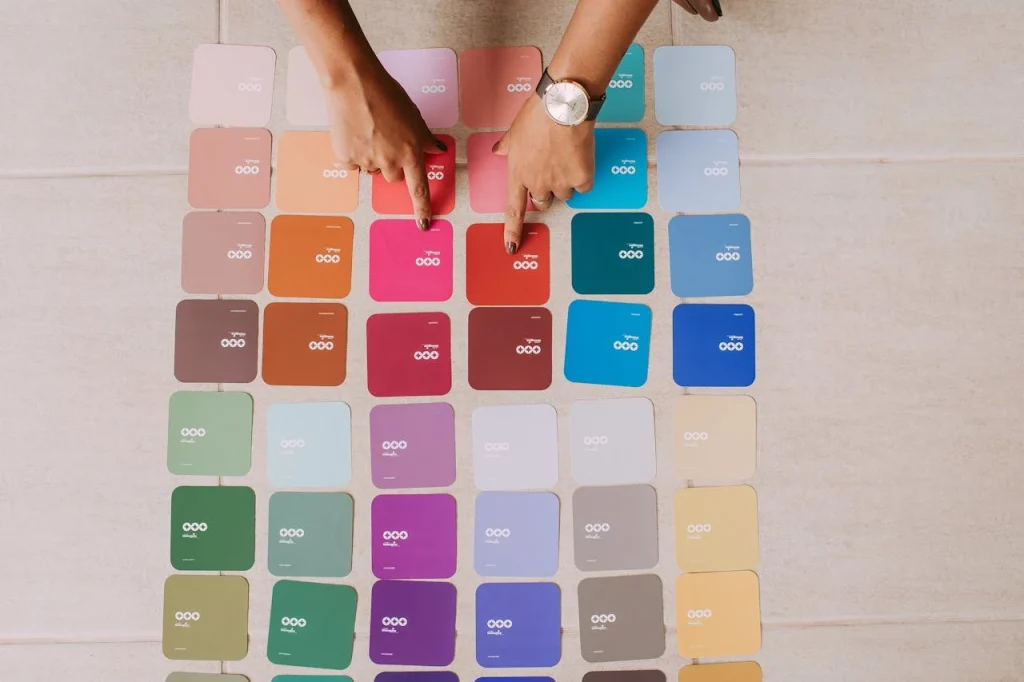
The 60-30-10 rule in web design is a color proportion guideline that divides a design into three parts: 60% dominant color, 30% secondary color, and 10% accent color. It gives your website a clear visual hierarchy without you having to overthink every design decision. wpmayor
Think of it this way. Imagine a man in a perfectly tailored business suit. The slacks and jacket make up 60% of what you see. The shirt underneath is 30%. And the tie? That bold, eye-catching tie is the 10%. mmicreative The suit works because every piece has a defined role. Nothing fights for attention. Everything works together.
Your website needs that same logic.
The 60% dominant color is your background. It is the canvas. It covers the largest visual area of your page, things like the main background, large content sections, and white space. Because it takes up so much space, it must feel calm and neutral. Most professional websites use white, off-white, very light grey, or a soft pastel here. If you pick something bold, like bright red, it becomes visually exhausting before the visitor even reads your first sentence. 60-30-10 Rule in Web Design.
The 30% secondary color is your structure layer. It goes on elements that divide and organize the page, such as sidebars, navigation backgrounds, card containers, and secondary section fills. It should have enough contrast with your dominant color to create visible separation, but not so much that it feels like it is competing. wpmayor
The 10% accent color is where the magic happens. That 10% is dedicated to one accent color to give the design life. That life is also the focal point of most interfaces, which means the accent color should be the brightest, most vibrant of them all. hype4 This is the color on your call-to-action buttons, your links, your highlighted text, and any element you want the visitor to notice and click.
The 60-30-10 rule in web design is not a new invention. It was originally developed for interior design and has been used by architects and decorators for decades. It crossed into fashion, then into graphic design, and eventually became a foundational principle of UI and UX design. The underlying logic has always been the same. Give each color a defined role and a defined amount of space, and the result will always feel balanced.
Why Does This Rule Matter for a Business Website?

You might be thinking: “I am not a designer, do I really need to understand this?”
Yes. Especially if you are a business owner.
For 38% of consumers, layout and navigational structure are the first things they assess on a website. mindinventory Color is deeply tied to layout. When your colors are all over the place, even your navigation feels chaotic. When your colors are balanced using a structured system like the 60-30-10 rule in web design, everything looks intentional, professional, and trustworthy.
Here is a real-world scenario. Imagine you are launching a small accounting firm. You want your website to feel trustworthy and professional. So your designer uses navy blue for 60% of the background sections, white for 30% of the inner card areas and text boxes, and a bright gold or orange for 10% of the call-to-action buttons and key links. The result? A website that feels calm and authoritative without being boring. Your potential client sees the orange “Schedule a Free Call” button immediately because nothing else on the page is competing with it. 60-30-10 Rule in Web Design.
Now contrast that with a business owner who picked five different colors they liked, spread them somewhat equally across the page, and ended up with what a designer friend once described perfectly: “Your eye has nowhere to go.”
Color psychology influences user decisions by approximately 70%. marketingltb That is not a small number. That is more than two-thirds of every decision your visitor makes on your page being influenced by something as controllable as your color palette. The 60-30-10 rule in web design gives you control over that influence.
70%
of user decisions are influenced by color psychology.
What Colors Should Go in Each Section?

This is the question that trips up most website owners. Knowing the rule is one thing. Choosing the right colors for each tier is another.
Choosing Your 60% Dominant Color
Your dominant color should feel like a backdrop. It should not demand attention. It should simply exist as the foundation everything else sits on.
For most business websites, white or off-white is the safest and most effective dominant color. For most websites, the 60% dominant color is white, off-white, or a very light neutral. If you are building a dark-mode design, it becomes a deep background color like charcoal, near-black, or a dark desaturated tone. wpmayor
If your brand uses a specific color strongly, you may be tempted to use it as the dominant 60%. Do not do that unless it is a very muted, desaturated version of that color. A deep blue, for example, can work as a 60% color if it is dark enough to recede. A neon blue used at 60% will make eyes ache. 60-30-10 Rule in Web Design.
A useful analogy: think of the 60% color as the walls of a gallery. The paintings stand out because the walls are plain. Put bright yellow walls in a gallery and suddenly nobody can focus on the art.
Choosing Your 30% Secondary Color
The secondary color is used for headlines, sidebars, highlighting, or text callouts. mmicreative It provides contrast against the dominant color and creates sections that visually separate information.
Your secondary color should complement your dominant color without clashing. If your 60% is white, a medium grey, a warm beige, or a muted brand color works beautifully as 30%. If your 60% is dark charcoal, a deep blue or dark green works well as 30% because it separates sections without being jarring.
The test here is simple. Squint at your design from a distance. If the secondary color jumps out the way your accent should, it is too strong. wpmayor Dial it back.
Choosing Your 10% Accent Color
This is your most important choice. If you want energy and conversion, orange and red consistently outperform in A/B tests on CTA buttons. This is not a coincidence. wpmayor
Your accent color carries your call to action. It is the color on your “Contact Us” button, your “Get a Free Quote” link, your highlighted testimonial section. It has to scream without you having to tell it to. 60-30-10 Rule in Web Design.
Blue is consistently linked to trust, reliability, and calm, which is why it dominates in finance, healthcare, and tech. Red triggers urgency and excitement, making it effective for limited-time offers and CTAs. Green connects to nature, growth, and health, which is why it works so well for wellness and sustainability brands. Yellow is attention-grabbing and energetic, but overwhelming in large doses. wpmayor
The key insight here is that color psychology works whether you plan it or not. If your dominant 60% is a deep navy blue, your site will feel authoritative and trustworthy before anyone reads your copy. wpmayor You are communicating with your audience through color before a single word is consumed.
What Are Common Mistakes People Make With the 60-30-10 Rule in Web Design?
Knowing the rule does not automatically mean applying it correctly. Here are the most dangerous pitfalls and how to avoid them.
Mistake 1: Using Too Many Colors at Equal Weight
This is the most common mistake. A website owner picks five or six colors they love and spreads them across the page in roughly equal portions. The result is a visual shouting match where every element demands attention and none of them win.
The overuse of accent colors is a major mistake. The 60-30-10 rule says only 10% should be accent colors. But some designers get carried away with neon and bright colors. This can overwhelm viewers and make it hard to understand the content. pixpa
The fix is simple but requires discipline. Pick three colors. Commit to the 60-30-10 proportion. Resist the urge to add a fourth color unless absolutely necessary.
Mistake 2: Making the Accent Color Too Muted
The opposite mistake is also very common. In an attempt to keep things elegant or minimal, designers water down their accent color until it barely stands out. Notice what happens when you go with a muted, monochrome palette. All colors are similar, only varying with the lightness level. And while they all match each other nicely, the button disappears. hype4
A button that disappears is a conversion that disappears. Your “Contact Now” button should pop off the screen. It should be impossible to miss. That only happens when your accent color has genuine contrast against the dominant and secondary colors around it. 60-30-10 Rule in Web Design.
Mistake 3: Not Considering Accessibility
Choosing the right color contrast is tricky. Using light colors or low-contrast combinations can make text hard to read. Tools like WebAIM’s Color Contrast Checker can help verify if your design is accessible, ensuring it looks good on different devices and for all users. pixpa
Accessibility is not optional. A website that is difficult to read for people with visual impairments is not just an ethical problem. It is a business problem. It reduces your audience and your conversions. When applying the 60-30-10 rule in web design, always check that your text color has sufficient contrast against its background, especially in the 30% and 60% zones where most of your content sits.
Mistake 4: Ignoring Brand Consistency
Keeping your brand colors consistent is very important. If your colors do not match across platforms, it can confuse people. pixpa
Your website, your social media profiles, your printed business cards, and your email newsletters should all use the same three colors in roughly the same proportional emphasis. When someone sees your Instagram post and then visits your website, the colors should feel like the same brand. Inconsistency signals amateurism and erodes trust.
Mistake 5: Splitting the Accent Color
Resist splitting your accent color as this will dilute the punch you need this color to convey. mmicreative If you use two accent colors, neither of them carries full authority. You split your visitor’s attention and weaken your calls to action. Keep one accent color and use it strategically and sparingly. 60-30-10 Rule in Web Design.
How Does the 60-30-10 Rule in Web Design Affect Conversions?
This is the question that matters most to business owners. Not “does my website look pretty?” but “does my website make money?”
The answer is: yes, color balance directly impacts conversions. Significantly.
The average attention span of people in 2025 is below 8 seconds. We need to guide their eyes to the right buttons fast. hype4 The 60-30-10 rule in web design does exactly this. By reserving your boldest color for your call-to-action elements exclusively, you create an automatic visual pathway. The visitor’s eye scans the neutral 60%, moves through the organized 30%, and then snaps to the 10% because it is the brightest, most contrasting element on the page.
The 60-30-10 rule helps boost user experience and conversion rates by guiding the creation of visually appealing websites that grab and hold visitors’ attention. Using this balanced approach, you can strategically play with color to evoke specific emotions and reactions from users. marcus-aurelius
Think about the world’s most successful websites. Airbnb uses warm, inviting tones across the majority of their pages, with bold accent colors reserved specifically for booking buttons and key interactions. Dropbox pairs signature blue with clean neutral backgrounds and uses brighter shades sparingly for conversion elements. These are not accidents. These are intentional applications of exactly the kind of color balance the 60-30-10 rule in web design teaches.
Color ads outperform black-and-white ones by 42% in terms of viewer attention. For nearly 40% of web users, color is the main thing that pulls them into a page. amraandelma
When your colors are balanced and strategic, users stay longer. Engaging palettes keep users on-site longer, comfortable color schemes encourage scrolling, and optimized CTAs improve click-throughs. abp Every one of these outcomes feeds directly into your conversion funnel.How Do I Apply the 60-30-10 Rule in Web Design on WordPress?
WordPress is one of the most popular platforms for business websites, and for good reason. It is flexible, powerful, and with the right theme, it is the perfect canvas for applying the 60-30-10 rule in web design correctly. 60-30-10 Rule in Web Design.
Here is a step-by-step approach to applying it in a WordPress environment.
Step 1: Start With Your Brand Colors
Before touching WordPress, write down three colors. Your dominant (60%), your secondary (30%), and your accent (10%). If you already have a brand identity, great. If not, tools like Coolors.co, Adobe Color, or Paletton can help you generate a harmonious three-color palette from a starting point of your choice.
Start with neutral shades. Ensure text contrasts with background. Avoid pure gray or black as main colors. Use color palette generators. flowmapp
Step 2: Configure Your WordPress Theme
In your WordPress theme customizer (or the Gutenberg editor for block themes), look for global color settings. Most modern themes let you set a primary color, secondary color, and accent color. Map your three chosen colors directly to these slots.
If your theme does not have these settings explicitly, you will apply them manually by setting your page background to your 60% color, your section/card backgrounds and header to your 30% color, and your buttons, links, and highlights to your 10% accent color.
Step 3: Apply to Each Element Deliberately
Use your primary color (60%) for backgrounds, color blocking, and large text areas. Use your secondary color (30%) for headlines, sidebars, highlighting, or text callouts. Then use your accent color (10%), typically your boldest color, to guide the reader to take a particular action. Use it for areas you want to draw the eye to such as call-to-action areas, buttons, and links. mmicreative
Go page by page and ask yourself: does every call-to-action button use my 10% accent color? Is the background of my main sections dominated by the 60% dominant color? Are my header, navigation bar, and section dividers in the 30% zone? 60-30-10 Rule in Web Design.
Step 4: What to Do If You Need More Colors
Sometimes a brand has more than three colors. That is okay. The 60-30-10 rule in web design accommodates this. If you need to add a fourth or fifth color, split either the primary or secondary colors and add a lighter or darker shade of that color to the mix. Just remember to still keep that color split within its designated percentage. For example, if you split your primary color to add a lighter hue, the 60% would change to something like 40% original color plus 20% lighter hue. mmicreative
The critical rule is: never split the accent. Keep the 10% as a single color. Its power comes from its singularity.
Step 5: Test on Mobile
Around 60% of users prefer a simple website over a complex one, and 84.6% of people prefer a clean, organized layout over a cluttered, crowded design. mindinventory Mobile screens are small, and colors that look balanced on desktop can feel overwhelming on a phone. Always preview your color choices on a mobile device. Check that your accent-colored buttons are visible and tappable. Make sure your dominant color does not feel too heavy when compressed. 60-30-10 Rule in Web Design.
40%
of web users are drawn to a page primarily because of its color.
How Does the 60-30-10 Rule in Web Design Relate to Color Psychology?
Understanding the rule is one thing. Understanding why it works on a psychological level gives you a deeper, more powerful tool.
People form snap judgments about products within 90 seconds of first exposure, and a significant portion of that assessment comes down to color alone. wpmayor
The 60-30-10 rule in web design is not just aesthetically pleasing. It is neurologically comfortable. When a layout distributes color in this proportion, the human brain processes the page more easily. There is a clear hierarchy. There is no visual confusion. The brain knows where to look, where to rest, and where to act.
Color carries psychological weight that is largely universal, and partially cultural. Blue is consistently linked to trust, reliability, and calm. Red triggers urgency and excitement. Green connects to nature, growth, and health. Yellow is attention-grabbing and energetic, but overwhelming in large doses. wpmayor
The 60-30-10 rule in web design activates color psychology in a structured way. When you select a calming blue as your 60% dominant, you build a subconscious atmosphere of trust before anything is read. When you use a slightly warmer neutral as your 30%, you create an inviting structure. And when your 10% accent is a high-energy orange or red, you trigger an urgency and excitement response right at the point where you need the visitor to act.
This is not manipulation. This is communication. Color has always communicated before words do. The 60-30-10 rule in web design simply ensures that communication is intentional and effective. 60-30-10 Rule in Web Design.
A mini case study worth considering: a health and wellness brand might choose soft white as their 60%, a gentle sage green as their 30%, and a warm coral as their 10% accent on their booking buttons. The result communicates health, calm, and approachability before a single sentence is read. That emotional alignment is what makes a visitor feel “this website is for me” within seconds of arriving.
90%
of snap judgments about products are based on color.
Can the 60-30-10 Rule in Web Design Work for Dark-Mode Websites?
Yes, and it works beautifully when applied correctly.
Dark-mode web design has grown significantly in popularity. Many users prefer it, especially in evening browsing sessions, and light and dark theme toggles increase session duration by approximately 16%. marketingltb
When applying the 60-30-10 rule in web design to a dark-mode layout, the logic flips in application but stays identical in proportion. Your 60% dominant color becomes a very dark tone, like deep charcoal, near-black, or a dark desaturated navy. Your 30% secondary becomes a slightly lighter shade of that dark tone, providing section separation and structure without introducing light. And your 10% accent color becomes an especially important element because it now has to stand out against a dark background.
On dark-mode layouts, brighter, more saturated accent colors work particularly well. Electric blue, bright gold, neon green, vivid orange. The darker the background, the more your accent pops. This can actually increase the visual power of your call-to-action elements compared to a light-mode design. 60-30-10 Rule in Web Design.
The key warning for dark-mode 60-30-10 applications: do not pick an accent color that bleeds into the dark background. Purple on dark navy, dark red on dark charcoal. These lose contrast and your button disappears. Always test contrast ratios. Your accent, even on dark mode, must pass accessibility contrast checks.
What Tools Can I Use to Build a 60-30-10 Color Palette?
You do not need to be a color expert to apply the 60-30-10 rule in web design. Excellent free tools exist to help you build your palette from scratch.
Coolors.co is the most popular free color palette generator on the web. You can lock colors you love and let the generator suggest harmonious companions. It is ideal for finding all three tiers of your 60-30-10 palette in minutes.
Adobe Color is more advanced and gives you control over color relationships. You can choose analogous, complementary, triadic, and split-complementary schemes and immediately see how colors relate to one another. Adobe Color lets you explore color relationships and create harmonious palettes. You can easily apply the 60-30-10 rule by picking primary, secondary, and accent colors. pixpa
Paletton generates color schemes around a chosen base color and shows you the result in real time on a sample website-style layout. This visual preview makes it very easy to imagine how your palette will behave on an actual page.
WebAIM Contrast Checker is essential after you have your three colors. Paste your text color and background color combinations in, and the tool tells you whether your contrast ratio passes accessibility standards. This is a non-negotiable step before publishing any website.
For WordPress users specifically, most major page builders like Elementor and Divi allow you to define a global color palette and apply it site-wide. Once you have your three colors, enter them as your global palette and the builder ensures consistent application across every page automatically. This is one of the biggest advantages of using WordPress for applying the 60-30-10 rule in web design. Consistency across the entire site becomes almost effortless. 60-30-10 Rule in Web Design.
Why Does a Poorly Colored Website Lose Customers?
Let us be very direct here because this is where fear and facts collide.
A seamless, user-centered design builds trust and loyalty, transforming casual visitors into returning users, while poor design increases bounce rates and drives users away. mindinventory
The average website bounce rate sits at 50.7%. That means more than half of everyone who lands on your website leaves without taking any action at all. While there are many reasons for this, visual design including color balance is one of the most significant drivers of those exits.
Consider what happens when a visitor lands on a website with no clear color hierarchy. Their eye does not know where to go first. They scan the page without a visual anchor. Within 8 seconds, if they cannot find what they need because the button is invisible among other competing colors, hype4 they leave. They go to your competitor. And your competitor, who happens to have a well-designed website with a clear call-to-action button in a bold accent color, gets the sale. 60-30-10 Rule in Web Design.
This is not hypothetical. This is happening right now on thousands of poorly designed business websites every single day.
Even in split seconds, the wrong color can signal untrustworthy or not for me to a visitor. Sites with clear, emotional color themes hold attention longer. amraandelma
The 60-30-10 rule in web design is not optional for a business that wants to compete online. It is the baseline standard of professional web design. Ignoring it does not just make your website look average. It actively costs you customers, credibility, and conversions.
Real-World Examples of the 60-30-10 Rule in Web Design in Action
Sometimes seeing the rule in a real context makes everything click.
Example 1: The Local Law Firm
A law firm wants to communicate authority and trust. They apply the 60-30-10 rule in web design as follows. Their 60% is a clean off-white, providing a professional, bright backdrop for all content. Their 30% is a deep navy blue, used across their navigation bar, section headers, and card backgrounds, communicating depth and authority. Their 10% is a warm gold, applied to their “Schedule a Consultation” button, active navigation links, and pull-quote highlights. The result is a website that feels credible, expensive, and trustworthy before a single word about the firm is read. 60-30-10 Rule in Web Design.
Example 2: The Online Clothing Store
A fashion brand targets young, energetic buyers. Their 60% is a very light cream background, timeless and soft. Their 30% is a warm terracotta, used in product category banners and navigation. Their 10% is a bold black, used for “Add to Cart” buttons and promotional highlights. The cream and terracotta combination feels fashionable and warm. The black accent is strong and decisive, pushing the purchase action with authority.
Example 3: The Tech Startup
A SaaS company applies the 60-30-10 rule in web design with a dark-mode approach. Their 60% is a deep slate grey almost black background. Their 30% is a slightly lighter dark blue-grey for card containers, sidebars, and section dividers. Their 10% is a bright electric blue, used on every call-to-action button, pricing plan highlight, and interactive element. The result feels modern, technical, and energetic. The blue pops brilliantly against the dark background, making every conversion point impossible to miss. 60-30-10 Rule in Web Design.
SEO Benefits of Applying the 60-30-10 Rule in Web Design
The connection between good color design and SEO might surprise you, but it is very real.
Color impacts brand authority and indirectly influences SEO by shaping user behavior. Engaging palettes keep users on-site longer. Comfortable color schemes encourage scrolling. Optimized CTAs improve click-throughs. Bold, appealing colors increase social shareability. abp
Google measures user behavior signals. If visitors land on your website and immediately leave because the page looks visually chaotic, your bounce rate climbs. If your bounce rate is persistently high, Google interprets it as a signal that your site is not delivering value to users. Over time, this can affect your search rankings.
On the other hand, a well-designed website with a clear color hierarchy keeps visitors on the page longer. They scroll more, explore more pages, and engage more deeply. These positive behavior signals help your SEO. The 60-30-10 rule in web design, by making your website visually comfortable and easy to navigate, contributes directly to the kind of user behavior that search engines reward. 60-30-10 Rule in Web Design.
Beyond that, a visually consistent and professional website is more likely to earn backlinks, social shares, and direct return visits. All of these are signals that feed your domain authority and improve your rankings over time. Good design is good SEO, and the 60-30-10 rule in web design is one of the most accessible paths to good design.
Conclusion and Actionable Tip
The 60-30-10 rule in web design is not a trend. It is a timeless principle rooted in how human beings visually process information. It applies to interior design, fashion, graphic design, and web design because it works with the natural behavior of the human eye. It creates calm, not chaos. It creates hierarchy, not confusion. And most importantly for your business, it creates action.
Here is your single most important takeaway. Look at your website right now, or the website you are planning to build. Can you clearly identify three distinct color tiers? A dominant background color covering roughly 60% of what you see, a secondary structural color covering 30%, and a single bold accent color covering 10%, specifically on your buttons and calls to action?
If you cannot, your website is probably working against you.
The good news is that fixing this does not require starting over. It requires choosing three intentional colors, mapping them to the 60-30-10 rule in web design, and applying them consistently. With a platform like WordPress, this can be done in a day with the right help.
That is exactly what we do at Planasite. We build professional, conversion-ready WordPress websites in as little as 7 days, applying every principle discussed in this article, including the 60-30-10 rule in web design, color psychology, mobile responsiveness, and clear call-to-action hierarchy. We handle the design decisions so you can focus on running your business.
Do not let poor color choices cost you another potential customer.
Get your professionally designed WordPress website in 7 days.
At Planasite, we handle design, development, and delivery. No confusion, no delays, no generic templates. Just a website built for your business, ready in a week.